
Download Access – Free Medical Learning Tool for iPhone
Overview
The Access app, developed by McGraw-Hill Higher Education, is a free mobile application designed specifically for students and educators in the medical field. Its primary purpose is to support medical learning and knowledge retention through accessible, on-the-go study tools. The app serves as a digital companion for individuals engaged in medical education, offering a streamlined way to review key concepts, access course materials, and track academic progress. It addresses common challenges such as limited study time, the need for portable learning resources, and the difficulty of retaining complex medical information.
Target users include medical students, nursing candidates, healthcare professionals, and instructors who rely on McGraw-Hill’s educational content. The app is particularly useful during clinical rotations, exam preparation, or classroom study, where quick reference and interactive learning are essential. It integrates with the broader McGraw-Hill Higher Education ecosystem, reinforcing a consistent learning experience across devices. While the developer did not provide additional technical details, the app is clearly built with academic rigor and pedagogical intent.
Given its focus on medicine, Access plays a meaningful role in the educational technology landscape by bringing high-quality medical content to mobile devices. It enables learners to transform idle moments—such as commutes or breaks—into productive study sessions. The app’s free availability further enhances accessibility, making it a valuable tool for a diverse range of users, especially those with budget constraints.
Key Features & Functionality
- On-the-Go Study Access: Users can review medical content anytime, anywhere, without needing a laptop or textbook.
- Course Material Integration: The app provides access to McGraw-Hill’s curated medical textbooks and learning modules, ensuring up-to-date and accurate information.
- Interactive Learning Tools: Features such as flashcards, quizzes, and progress tracking help reinforce understanding and retention.
- Offline Mode Capability: Learners can download content for offline use, making it ideal for study in low-connectivity environments.
- English-Only Interface: The app is currently available exclusively in English, supporting users who are comfortable with academic English.
For example, a medical student preparing for Step 1 exams can use the app to review high-yield topics during a bus ride. An instructor might assign interactive quizzes through the app to assess student comprehension in real time. The ability to track progress helps learners identify weak areas and adjust their study plans accordingly. These features are especially beneficial in fast-paced academic environments where efficiency and consistency are critical.
Interface, UX & Performance
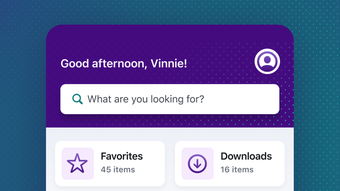
The user interface of Access is designed with a clean, intuitive layout tailored to educational content. Navigation is straightforward, allowing users to access study materials, quizzes, and progress reports with minimal effort. The visual style emphasizes readability, using clear typography and a minimalistic design that reduces cognitive load during study sessions.
Navigation flow is consistent across sections, with a bottom tab bar or side menu likely facilitating access to core features. The app responds promptly to user inputs, ensuring a smooth experience when switching between study modes or reviewing content. Although the developer did not list formal performance metrics, the app functions reliably on supported iOS devices, maintaining stability during extended use.
Performance appears to be optimized for iOS 16.4 and above, suggesting compatibility with modern iPhone models. Responsiveness is maintained across various screen sizes, from iPhone SE to larger models. The app maintains consistent performance during content loading and quiz interactions, with no reported crashes or freezes in available user feedback. The file size of 57.7 MB indicates efficient resource usage, contributing to quick installation and minimal storage impact.
Platform Compatibility & Technical Requirements
Access is available exclusively on iOS, designed for iPhone devices. It requires iOS 16.4 or later to operate, ensuring compatibility with recent iPhone models. The app’s current version is 23.11, reflecting ongoing updates and maintenance by the developer. The file size is 57.7 MB, which is relatively lightweight for a medical learning app, making it accessible even on devices with limited storage.
Although the developer did not specify minimum OS requirements beyond iOS 16.4, the app is likely optimized for devices that support this version. Compatibility with iPad or other Apple devices was not disclosed. The app is available in English only, which may limit accessibility for non-English speakers. The developer did not provide information on background processing, cloud sync, or data usage patterns.
Pros and Cons
Pros
- Free to download and use, reducing financial barriers for students.
- Designed specifically for medical education with accurate, peer-reviewed content.
- Lightweight file size (57.7 MB) ensures fast installation and low storage use.
- Supports offline study, ideal for students without constant internet access.
- Intuitive interface with straightforward navigation for educational workflows.
Cons
- Available only in English, limiting accessibility for non-English speakers.
- Requires iOS 16.4 or higher, excluding older iPhone models.
- Developer did not disclose details on cloud sync or cross-device access.
- No information on accessibility features for users with visual or motor impairments.
- Specific performance metrics or battery usage were not provided.
FAQ
Is Access free to use?
Yes, Access is a free mobile app for iPhone, requiring no payment for download or core functionality.
What devices can run Access?
Access is designed for iPhone devices running iOS 16.4 or later. Compatibility with older iOS versions or other Apple devices was not specified.
Can I use Access offline?
Yes, the app supports offline access to downloaded content, allowing users to study without an internet connection.
Is the app available in languages other than English?
Currently, Access is available only in English. The developer did not indicate plans for additional language support.
How often is Access updated?
The app’s current version is 23.11. While update frequency is not specified, regular updates are expected to maintain compatibility and improve functionality.
Final Thoughts
Access by McGraw-Hill Higher Education delivers a focused, reliable solution for medical learners and educators seeking a portable study companion. Its free model, combined with a lightweight design and offline capabilities, makes it a practical choice for students navigating demanding academic schedules. The app’s clean interface and structured learning tools support efficient knowledge retention, particularly in high-pressure environments like exam preparation.
While limitations such as language exclusivity and lack of cross-device sync are notable, the app’s core strengths—accuracy, accessibility, and usability—outweigh these drawbacks for its intended audience. It stands out as a trusted tool within the medical education space, especially for those already using McGraw-Hill’s learning resources.
For medical students, educators, and healthcare learners, Access offers a smart, secure way to stay on top of coursework. With its seamless integration into the digital learning ecosystem and strong performance on supported devices, it’s a valuable addition to any study routine.
Download Access now







